Showing posts with label 3mb. Show all posts
Showing posts with label 3mb. Show all posts
Monday, May 22, 2017
Smart Tools v1 5 2 Updated Apk Direct 3Mb
Smart Tools v1 5 2 Updated Apk Direct 3Mb

Description
Measure length, angle, distance, height, direction and sound with your phone.
Smart Tools is a complete package of 5 app sets. It includes 5 Pro sets for a total of 15 tools. In a word, All-in-One.
Set 1: Length, Angle, Slope, Level, Thread - Smart Ruler Pro
Set 2: Distance, Height, Width, Area - Smart Measure Pro
Set 3: Compass, Metal detector, GPS - Smart Compass Pro
Set 4: Sound level meter, Vibrometer - Sound Meter Pro
Set 5: Flashlight, Magnifier - Smart Light Pro
Even more tools will be added soon. Next will be Barometer and more.
* No connection support (including Tablet PCs) : Open this app several times with connections, you can open it without any connection.
* On Nexus 7, several tools do not work due to the lack of the rear camera. But Im trying to fix it.
DOWNLOAD
Smart Tools Apk
Get link for download

Tuesday, May 9, 2017
Apollo v1 1 Apk Direct 3Mb
Apollo v1 1 Apk Direct 3Mb

Description
Illuminate your music.
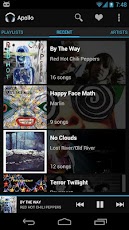
Built specifically for your phone, Apollo brings Android’s style and depth to your music collection.
Tablet specific features and layouts coming soon!
Features:
Pin album, artist, genre, and playlist shortcuts to your Home screen
Customizable themes and layouts
Lyric support
Mark songs as favorites
Notification playback controls (Honeycomb+)
Text and voice search
Swipe between screens
Automatic album and artist image fetching
Headset controls
Set songs as ringtones
Lockscreen widgets (Jellybean 4.2+)
Share currently playing music on Twitter, Facebook, and others
4 widgets
Gapless playback
Plays most music formats (MP3, AAC, FLAC, etc.)
Drag & drop playlists and queue
Lockscreen controls (Ice Cream Sandwich+)
Local music management (edit, delete, etc.)
Features Coming Soon:
Tablet support
Artist and album info
Concert info
Last.FM scrobbling
Specify your music folders/directories
Customizable widgets
Customizable notification controls
Google Dream support
And thats just whats coming soon!
DOWNLOAD
Apollo + Apk
Get link for download
Tuesday, April 25, 2017
Battery Booster Ad Free v5 9 Apk Direct 3Mb
Battery Booster Ad Free v5 9 Apk Direct 3Mb
Description
Battery Booster - Boost Your Batterys Running Time and Max Battery Life
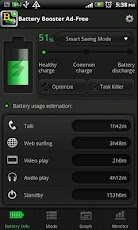
Battery Booster is an all-in-one battery boosting and power management tool for both Android smartphone and tablet. It provides the most accurate battery information, keeps track of the recent battery changes, monitors battery-draining processes, and helps you deal with various battery wasting situations at ease.
*Supported language: English, Korean, Japanese, Simplified Chinese, Traditional Chinese, French, Arabic, Hindi, Persian
*Feature details*
- Real-time battery usage tracking
Battery Booster provides real-time battery information, including battery level, battery temp, remaining battery usage time, and so on.
- Battery saving mode to save battery at all conditions
Battery Booster offers four preset battery saving modes to help you save more power. These modes watch your system performance and save battery at all possible situations. Besides, personalized modes are welcomed to be added if you need advanced battery saving techniques.
-Battery graph to track battery level/temp/voltage change
Three graphs are given in Battery Booster to track the recent three days battery information, including battery level, temp, and voltage. You can use these statistics to analyze and find out the most effective battery saving mode for yourself.
-Monitor battery consumption of each running program
Battery Booster keeps an eye on all running processes, and shows you the battery consumption ratio of each process. With this information, you will easily find out the battery-draining processes, stop or uninstall them to enhance battery life.
-Quick Settings and Homescreen widget
For easy management of daily used elements, fifteen quick control buttons are available to be added on Homescreen: WiFi, Bluetooth, GPS, Mobile data, Airplane, screen timeout, brightness, haptic feedback, etc. It only takes one line space to add these buttons, yet with them you will no longer need the system settings to adjust network or screen. If widget is not your choice, these buttons are available in Battery Booster settings, too.
-Task Killer to save more battery
Battery Booster saves battery by killing running background processes. For apps that you do not want to kill, you can use Whitelist Manager to protect. Furthermore, with the advanced task manager (Memory Booster - Android RAM Optimizer), Battery Booster can perform better and help you get the best battery saving results!
DOWNLOAD
Battery Booster (Ad-Free) Apk
Get link for download
Friday, April 7, 2017
Mobile AntiVirus Security PRO v3 0 2 Apk Direct 3Mb
Mobile AntiVirus Security PRO v3 0 2 Apk Direct 3Mb


Description
AVG is a PC & Mobile security software provider to over 143,000,000 global users
AVG Mobile AntiVirus Security PRO for Android™ is AVG’s premium, full featured app that helps protect your phone & tablet from viruses, malware, spyware & online exploitation in real-time.
Our aim at AVG is to provide you with Protection, Privacy, Performance and Peace of Mind.
The new widget gives you immediate access to key features of the app directly from your device’s home screen. Easily customize the 4 widget buttons into 9 easy-to-use functions.
Download AVG Mobile AntiVirus Security PRO today and:
? Scan apps, settings, files, and media in real time
? Enable finding/locating your lost or stolen phone via Google Maps™
? Lock and wipe your device to protect your privacy
? Kill tasks that slow your device
? Browse the Web safely and securely
? Monitor battery, storage and data package usage on your device
In addition, when installing the premium app, you also get:
? App Locker – set up a password to control access to certain apps and keep them secure at all times.
? App Backup - backup apps from your device to your SD card so you can restore them whenever necessary.
AVG Mobile AntiVirus Security PRO also:
? Defends against malicious apps, viruses, malware and spyware
? Identifies unsecure device settings and advises on how to fix them
? Helps ensure contacts, bookmarks and text messages are safe
? Checks media files for malicious software and security threats
? Guards you from phishing attacks
? Can be scheduled to run daily, weekly, or on demand scans
App features:
AntiVirus:
? Scan downloaded apps and files and remove malicious content
Anti-theft and Phone Location:
? Locate a lost or stolen device and get help finding it via Google Maps™
? Lock your device remotely via our Anti-Theft service or by sending it a text message to guard your private data
? Set a lock screen message to help whoever finds your device contact you
? Make your device ring even if it is on silent mode
Safe Web Surfing:
? Search, shop and use social networks with peace of mind knowing your identity and personal data are protected from phishing and malware
? Scan website addresses. When a suspicious URL address is detected, you will be redirected to a “Safe Page”
Tune-up:
Monitor Battery, Storage and Data Package to optimize your device’s performance.
? Get notified when your battery is below the level you indicated and turn-off functions not in use in order to save power
? Optimize internal and SD card storage to save storage space
? Move apps or games between the SD Card and internal storage
? Traffic monitor - keep track of your 3G /4G data plan usage by getting notifications when you are near to reaching your monthly data plan limit
Task killer:
? Kill tasks that slow down or freeze up your device
Local wipe:
? Ability to completely wipe contacts, text messages, photos, browser history, calendar, format SD card, and restore mobile device to factory settings
? Manually select specific data and information from your device that you want deleted, such as synced email accounts, browser history and bookmarks using the Local Wipe advanced feature
App Locker:
? Lock apps to protect your privacy and safety or lock your device settings to secure its configuration
App Backup:
? Backup apps from your device to your SD card so you can restore them whenever necessary.
DOWNLOAD
Mobile AntiVirus Security PRO Apk
Get link for download
Tuesday, April 4, 2017
Minecraft Pocket Edition v0 5 0 Latest Apk Direct 3Mb
Minecraft Pocket Edition v0 5 0 Latest Apk Direct 3Mb
Description
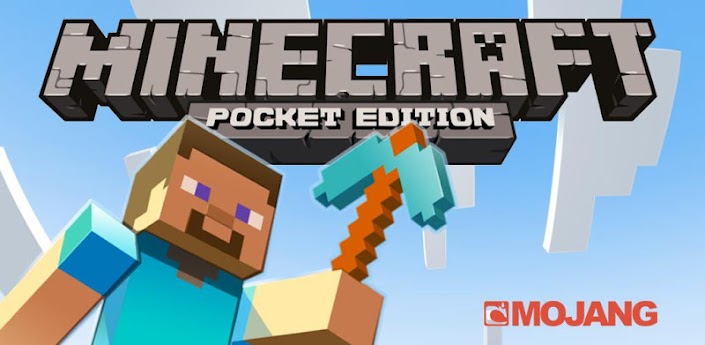
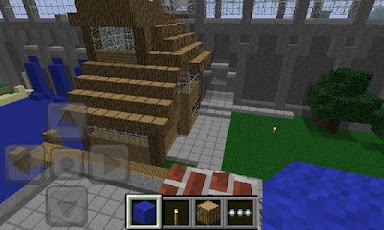
Minecraft is about placing blocks to build things and going on adventures!
Pocket Edition includes randomly generated worlds, multiplayer over a local Wi-Fi network, and Survival and Creative modes. You can craft and create with your friends anywhere in the world so long as you have hands spare and battery to burn.
Our most recent update added the iconic Creepers. They’re big, green, mean and explody. But it’s just one of many. Since Minecraft — Pocket Edition first appeared, we’re continuing to add loads of new features, including...
- Food! Now you can cook and go hungry
- Swords! Bows! TNT!
- Chests
- Skeletons
- Spiders
- Beds
- Paintings
- Lots more!
But enough sales talk! Download it already! And have fun!
DOWNLOAD
Minecraft - Pocket Edition Apk
Get link for download
Next Launcher 3D v1 15 Apk Direct 3Mb
Next Launcher 3D v1 15 Apk Direct 3Mb


Description
Designed by GO Dev Team, ‘Next Launcher 3D’ shows how a 3-D and dynamic launcher could be possibly like -- Extend imagination, extend capabilities. Wish you enjoy this app and have a wonderful holiday!
Features:
1. Various operation for icons: icons support rotation, reset, select, align and so on. Operation is easy and fantastic.
2 .Unlimited screen layout: placing icons or widgets randomly which forms your own home screen.
3. Stereoscopic screen preview: lots of screen display effects, dazzling animation of screen switching about adding or deleting screen.
4. Quick screen management: adding different kinds of elements in screen edit including application icons, folders and widgets. It’ll support changing wallpapers and themes soon.
5. Rotatable dock: inverting upward or downward the Dock can quickly switch among home screen, screen edit and screen preview.
6. Powerful app drawer: icons can be arranged by names or by time, and folders can be created by overlaying icons. Batch mode and operation of adding apps to screen are also available.
7. Beautiful scrolling effects: a variety of app drawer scrolling effects that provide a distinctive screen switching experience.
8. Fancy 3D widgets: 3D widgets that are based on Next Launcher 3D are coming soon!
Tips:
1.Please make sure your device has installed Google Play.
2.Phone performance:Android 2.3.3 and up; Dual-core models is better.
3. Suggestion:Watch the video of Next Launcher 3D first, to know about the cool operation of the product.
If you encounter any problems or have any suggestions for our Next Launcher 3D, please do not hesitate to tell us. Thank you very much!
DOWNLOAD
Next Launcher 3D Apk
Get link for download
Saturday, April 1, 2017
Whistle Android Finder PRO v4 2 Apk Direct 3Mb
Whistle Android Finder PRO v4 2 Apk Direct 3Mb
Description
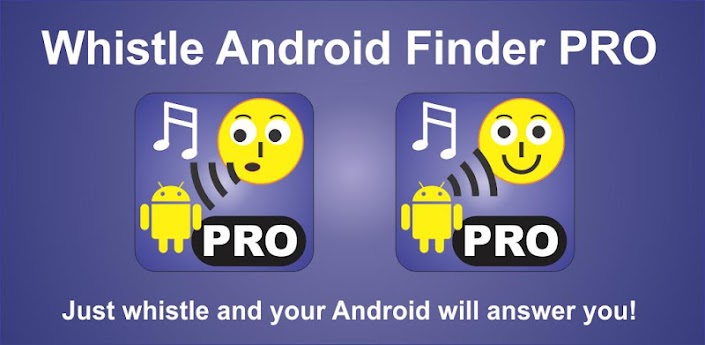
The Whistle Android Finder PRO is supreme Android finder application which helps many people locate their Android device with just a simple WHISTLE after losing it, forgetting it somewhere or being hidden somewhere in a room on a desk behind papers, in a briefcase or in a coat pocket etc
Here are the main features of the Whistle Android Finder PRO:
- In contrast to the free, ad-supported version, the paid Whistle Android Finder PROdoes not include any ads! Furthermore, the set of requested permissions is much lower now. Only the essential permissions are requested.
- Much lower battery consumption due to optimized whistle detection engine when compared to the Whistle Android Finder FREE. The application has been designed and strongly optimised in order to reduce battery drain as much as possible.
- Whistle Android Finder PRO can be enabled or disabled under the settings tab. Just run the application and the settings tab will appear! Remember: Whistle detection is working ONLY when the device is sleeping (i.e. when the screen is OFF).
- Once enabled, Whistle Android Finder PRO will work even if you reboot your Android device! Of course, you can disable it under the settings tab at any time.
- Whistle Android Finder PRO integrates the ability to release the microphone in your Android device during incoming or outgoing calls or when the screen of your device is ON! After a call ends, the normal background operation of whistle detection will resume automatically.
- It is possible to choose among 5 different whistle detection sensitivity levels! Whistle Android Finder PRO is just ready to adapt to any Android device regardless of the specifics of integrated acoustic components.
- Under the Whistle Android Finder PRO settings tab it is possible to choose among 17 different very amusing audio notification sounds to notify the presence of the detected whistle!
Once your whistle sound is detected, the Android device will respond to your whistling with playback of preselected audio notification signal (one of 17 different audio responses can be selected under the preferences tab)
DOWNLOAD
Whistle Android Finder Pro Apk
Get link for download
Thursday, March 30, 2017
Pool Break Pro v2 2 1 Apk Direct 3Mb
Pool Break Pro v2 2 1 Apk Direct 3Mb

Description
3D Pool, Snooker, Billiards, Carrom, Crokinole. Play online or against computer.
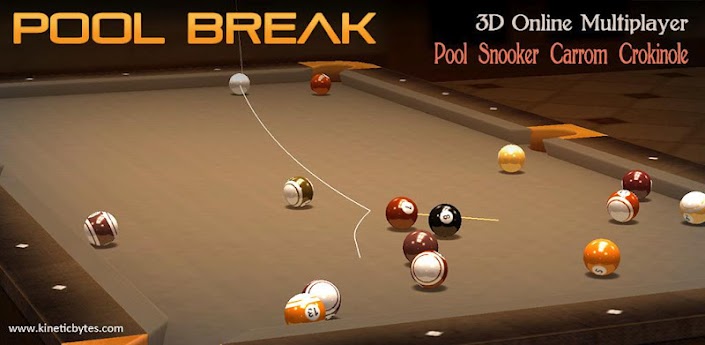
Pool Break is a suite of games featuring several variations of Pool, Snooker, and the popular Crokinole and Carrom board games. The full 3D graphics are spectacular and the physics are realistic and accurate. Whether you play against the computer or against other Android, iPhone or iPad users online, the action is smooth and fast paced!
Ready for some realistic pool action? With a ton of games and lots of fast paced action, Pool Break will keep the most seasoned pro playing well into the night. Its realistic 3D graphics and linear shot guides help you line up your shot, modify the shooting angle, and see where your shot is going to land, making it easy to line yourself up for your next move.
You may also play against computer or in pass-n-play mode.
Pool Break Features Include:
? Over a dozen games packed into one app
? Supports Online Cross-Platform Multiplayer Gaming
? Supports online chat
? Play online with Facebook Friends (needs Facebook App)
? Play against the computer with four difficulty levels
? Pass-n-Play mode
? Very Realistic Pool and Snooker Physics
? Pan and Zoom and Slow Motion modes
? Free View and First Person View
? Regular or Hexagonal tables
? Allows Curve and Masse shots and full English
? Intuitive User Interface
? Built-in Help Manuals explain how to play
? Hours of fun
If youve ever thought about playing pool or Snooker on a real table, Pool Break is the perfect way to try a variety of games and pick your favorite. Use Pool Break as a recreational game, or use its dead-on, real life graphics and geometry to help improve your skills for league night. With place and play and pool drill games, this is the perfect app for tweaking your game, and practicing those tricky shots that require nerves of steel.
So what do you get with this app? Over a dozen games, including two popular board games played with discs and enough cue-games to keep you busy.
Pool Break Games Include:
? US 8-Ball Pool
? UK 8-Ball Pool
? 9-Ball Pool
? 10-Ball Pool
? 3-Ball Pool
? 6-Ball Pool
? One Pocket Pool
? Straight or 14.1 Continuous Pool
? Carom (or 3-cushion) Billiards
? Pool Drills
? Place-n-Shoot Pool
? Regular Snooker
? Snooker 6-Reds
? Snooker 10-Reds
? Carrom (three board styles)
? Crokinole board game
DOWNLOAD
Pool Break Pro Apk
Get link for download
Wednesday, March 29, 2017
neXt Launcher v1 13 Apk Direct 3Mb
neXt Launcher v1 13 Apk Direct 3Mb

Description
Designed by GO Dev Team, ‘neXt Launcher 3D’ shows how a 3-D and dynamic launcher could be possibly like -- Extend imagination, extend capabilities. Wish you enjoy this app and have a wonderful holiday!
Features:
1. Various operation for icons: icons support rotation, reset, select, align and so on. Operation is easy and fantastic.
2 .Unlimited screen layout: placing icons or widgets randomly which forms your own home screen.
3. Stereoscopic screen preview: lots of screen display effects, dazzling animation of screen switching about adding or deleting screen.
4. Quick screen management: adding different kinds of elements in screen edit including application icons, folders and widgets. It’ll support changing wallpapers and themes soon.
5. Rotatable dock: inverting upward or downward the Dock can quickly switch among home screen, screen edit and screen preview.
6. Powerful app drawer: icons can be arranged by names or by time, and folders can be created by overlaying icons. Batch mode and operation of adding apps to screen are also available.
7. Beautiful scrolling effects: a variety of app drawer scrolling effects that provide a distinctive screen switching experience.
8. Fancy 3D widgets: 3D widgets that are based on neXt Launcher 3D are coming soon!
Tips:
1.Please make sure your device has installed Google Play.
2.Phone performance:Android 2.3.3 and up; Dual-core models is better.
3. Suggestion:Watch the video of neXt Launcher 3D first, to know about the cool operation of the product.
DOWNLOAD
neXt Launcher Apk
Get link for download
Saturday, March 11, 2017
Next Launcher 3D v1 16 Apk Direct 3Mb
Next Launcher 3D v1 16 Apk Direct 3Mb

Description
Introduction
Designed by GO Dev Team, ‘Next Launcher 3D’ shows how a 3-D and dynamic launcher could be possibly like -- Extend imagination, extend capabilities. Wish you enjoy this app and embrace the next generation of user interface and interaction to your phone!
Features
* Stereoscopic Screen Preview
Stunning 3D screen preview with dazzling animation of screen switching enables you to access to, add, set home screen, and delete any screen in a second.
* Multi-select Apps
After selecting one app, use sliding gesture to multi-select the other apps. The fantastic interaction designs not only to wow people, but save efforts to fulfill batch operation.
* Customizing Home Screen
Packed with unlimited screen layout function, you may place icons, folders, or widgets randomly on your screen. Change 3D themes and wallpapers to reclaim your phone interface.
* Icons
Icons support rotation, replace, Multi-select, align and so on. Operation is easy and fantastic. Multi-select apps, long press one of the selected apps to gather them, and draw a preview path by selecting operation from app icon menu.
* Rotatable Dock
Invert the dock upward or downward to switch among home screen, preview and editing modes.
* App Drawer
Icons can be arranged by name or time. You can create folders by overlapping app icons. That batch operation to add icons on home screen is also available.
* 3D Widgets & Themes & Live Wallpapers
Popular widgets in 3D space including switch, music, clock have been released, with weather, task manager, calender, notification widgets coming soon. Numerous of 3D themes and live wallpapers are being prepared.
DOWNLOAD
Next Launcher 3D Apk
Get link for download
Subscribe to:
Posts (Atom)